

Soul Dial 40K Mode
Soul Dial · 40K mode
Your side of the battle, on one dial
40K mode turns your Soul Dial into a scoring companion for Warhammer 40,000 games. It walks you through every battle round and phase, and keeps your CP, your VP, your key units and your dice in one place.
Your army list and rules stay where they are. The Dial does the counting, keeps a record of every army's battles, and everything is set up on the Dial itself, with no app and no account.
- 5battle rounds
- 60dice a roll
- 8saved armies
- 6units tracked
- 7themes
Kitting out your club? Order 4 or more and save 10%.
-
Into battle in two taps
Tap the game pill on your Dial's home screen and choose Warhammer 40K. From then on your Dial opens straight to 40K mode: on the Start screen, or right back in your game if one is in progress.
Tap NEW GAME and one screen has everything:
- Just me or Both of us at the top: your own Dial, or one Dial between two players. The Dial remembers your choice.
- Player and Army, already set to last time's. Tap either to change it.
- Who goes first? Tap who goes first and the battle starts. Or tap Roll off for a D6 each (ties roll again).
- Extras for this battle: Tactical, starting CP, the Units page, Reserves, the chess clock and Painted +10.
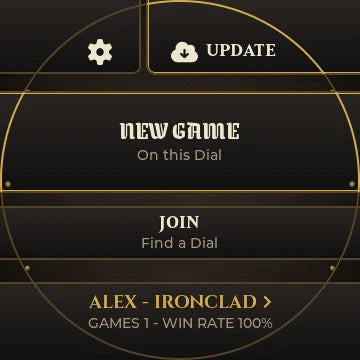
Start. NEW GAME or JOIN. 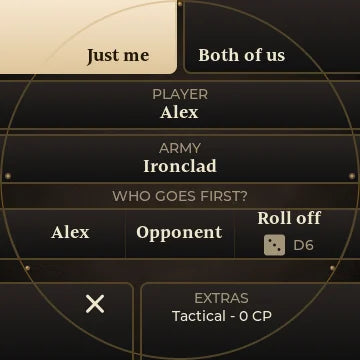
New game. Tap who goes first. -
Your armies, and their record
Save up to 8 armies, each with its own name, theme, Painted +10 and Units page, and up to 8 players to own them. Pick one at New game and its look and units come with it.
Every finished battle goes into the army's record: victories, defeats and draws, win rate, average and best VP, and the last three results. The Start screen shows the record under your army's name. Games ended early count as abandoned, never as losses.
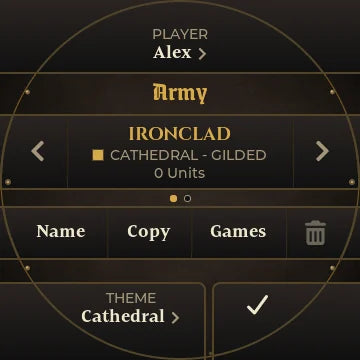
Ironclad. Name, copy, theme. 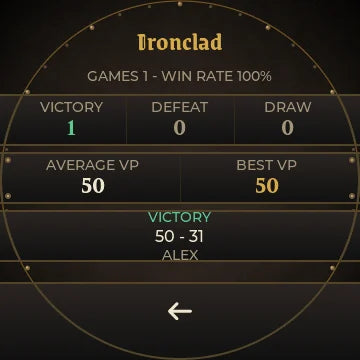
Games. Every battle counted. -
Your turn, one step at a time
The top of the screen shows the step you're in, the battle round and whose turn it is. Your turn runs Command, Movement, Shooting, Charge, Fight and End of turn. Tap Next to move on; the button shows the step that comes next. Hold it to step back.
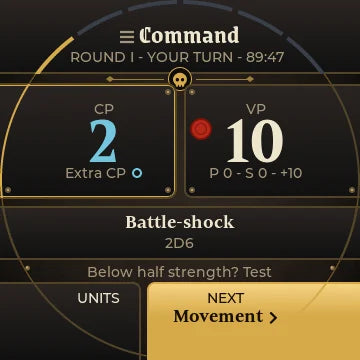
The middle row changes with each step: Battle-shock in Command, Advance in Movement, Attacks in Shooting and Fight, Charge, then Score at the end of your turn. Under it, a short reminder.
End Turn hands over. In your opponent's turn, Save rolls and Overwatch are a tap away, and Done ends their turn (with their Dial linked, it follows their steps instead). After the second turn of round V, the game is over.
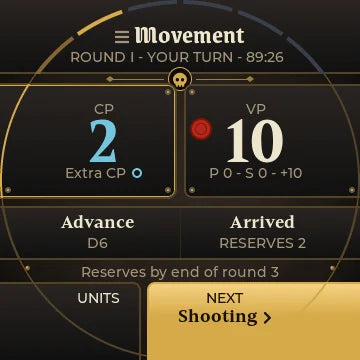
Movement. Advance, or bring in reserves. 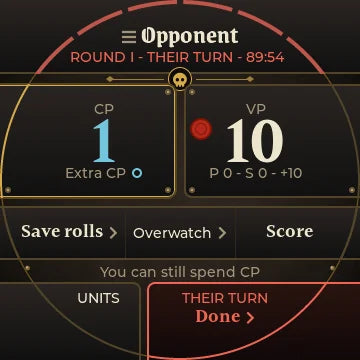
Their turn. Saves and Overwatch ready. -
CP that counts itself
Both players gain 1 CP in every Command phase, so your CP goes up at the start of your turn and again at the start of your opponent's. The Dial adds it for you.
Turn the knob to change CP, or tap the CP plate to spend 1. It never goes below 0.
CP from anything else counts as extra CP, and the rules allow 1 per battle round. The dot beside Extra CP fills when you've had yours. Go over and the Dial warns you, but it doesn't stop you.
Playing Tactical? Discard at the end of your turn gives +1 CP, which is that round's extra CP. Once you've had it, a discard gives none.
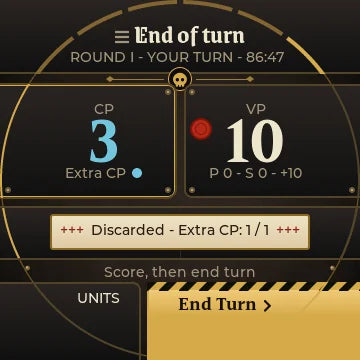
Discard. +1 CP, dot filled. 
Over the cap. A warning, not a block. -
Score VP the moment you earn it
Tap Score or the VP plate. Primary gets +5, +10 and +15 buttons, secondary gets +2, +3 and +5, and the knob adds any other amount. Tap VP to switch between them, and the tick when you're done.
From round 2, the VP plate glows in your Command phase until you've scored primary.
- Primary is capped at 50 VP and secondary at 40.
- With Painted +10 on, a battle-ready army adds 10, for 100 at most.
- Hold the top bar for the Score sheet: every round's primary and secondary. Tap a box and turn the knob to fix it, even after the game.
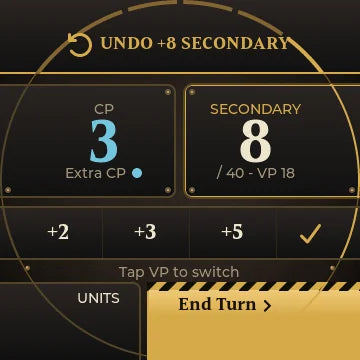
Secondary. +8, out of 40. 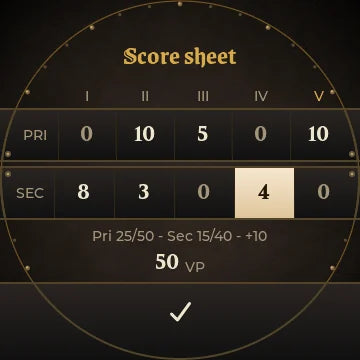
Score sheet. Every round. -
Quick rolls and the Command Re-roll
Battle-shock and Charge roll 2D6 and Advance rolls a D6, right in the middle row, with both dice shown. Tap the result to roll again and the tick to clear it.
Re-roll is the Command Re-roll: it costs 1 CP, and you get it once per phase. Each roll can only be re-rolled once, so the button greys out afterwards and the line underneath says why.
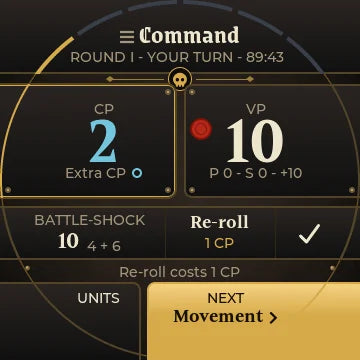
Battle-shock. 4 + 6. 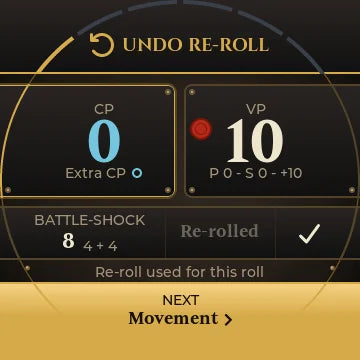
Re-rolled for 1 CP. -
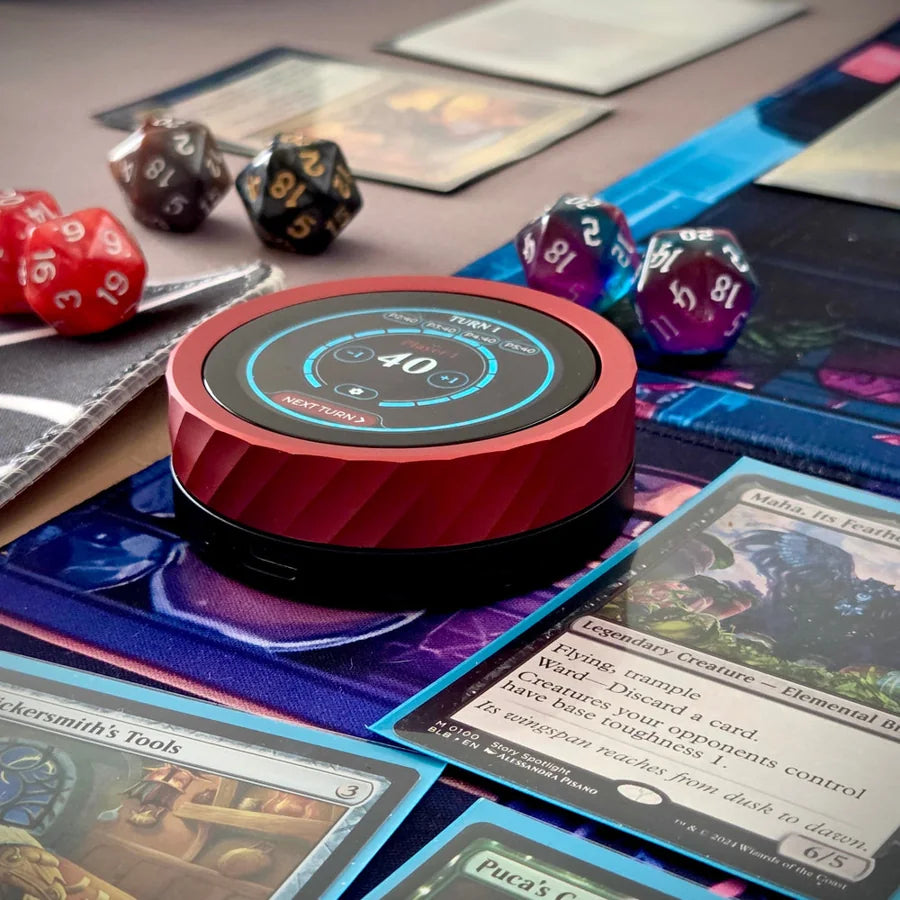
Bring it to your next battle
Less bookkeeping. More battle.
A machined aluminum Dial that sits by your army tray, with a click you can feel and a screen your opponent can read across the table.
Shop the Soul Dial -
A dice roller for big pools
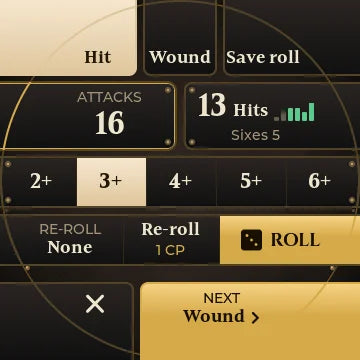
Attacks opens the roller at Hit. Turn the knob for the number of dice, up to 60, pick a target from 2+ to 6+ and tap Roll. You see the successes, how many sixes, and a small chart of every face. A 1 always fails.
- Next carries the successes into Wound, then Save. On Save, the Dial shows how many got through.
- Re-roll Ones or Fails for abilities that let you. A die is never re-rolled twice.
- Re-roll 1 CP is the Command Re-roll on one failed die, with the same once-per-phase rule.
- In your opponent's turn, Save rolls opens at Save and Overwatch opens at Hit on 6+.
Hit. 16 dice, 13 hits. 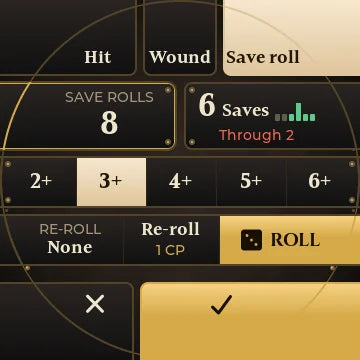
Save. 2 get through. -
Keep an eye on your key units
Turn on Units page in Extras and tap Units at the bottom of the battle screen. Track up to 6 units: the ones whose wounds or abilities you keep forgetting.
- Wounds. Tap the unit, then turn the knob. The bar turns amber when the unit drops to its damaged profile (set Damaged at to match) and the tile reads Destroyed at 0.
- Abilities. A dot per use, up to 3, coming back once a battle, each round or each turn. Tap to use one, hold to get it back.
- Edit. Hold a unit to change it. In Edit, tap the name to type your own, or hold it to cycle through general names like Battle tank, War strider and Squad.
Each army keeps its own Units page, back at full strength when you start a new game.
With Reserves on, tap Arrived in your Movement step as each unit comes in. Any still in reserve at the end of round 3 count as destroyed, and the Dial tells you.
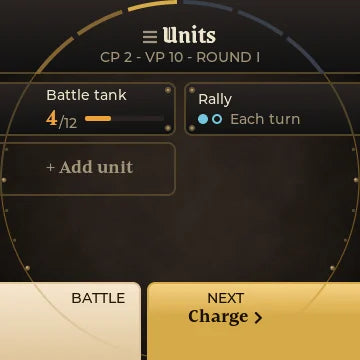
Units. Battle tank damaged. 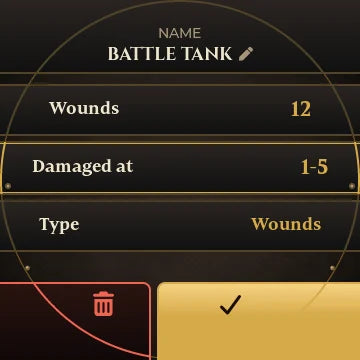
Edit. Wounds and damaged at. -
Undo, a battle log, and quick fixes
Every change shows an Undo button across the top for a few seconds; tap it to take the change back. Turning the knob counts as one change, so −3 CP undoes in one tap.
Tap the top bar for the Menu:
- Log: the game's last 40 events, newest first.
- Round & step: put the round, whose turn and the step right if someone forgot to tap Next.
- Opponent: their name, and their VP on the knob. With their Dial linked, both come from it.
- End game: stop early. Tap, then tap again to confirm.
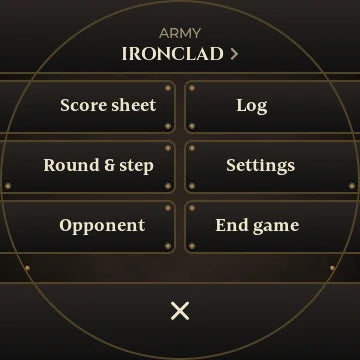
Menu. One tap from battle. 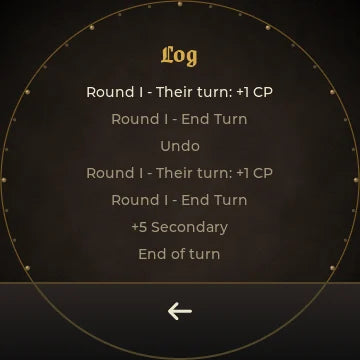
Log. Newest first. -
Settings, your way
Open Settings from the gear on Start, or from the Menu:
- Theme: preview all seven themes live and pick a colour. See the themes below.
- Display, Network and Device: the Dial's own settings, a tap away.
- Options: the Units page, Reserves, your opponent's name, the chess clock and Painted +10. The chess clock gives each side its own time, 90 minutes unless you change it, runs only in that player's turn and keeps counting past zero.
- More: the clock's minutes, how many units start in reserve, and the edge margin, which moves everything in from the rim.
- Game Type: back to your card games or D&D.
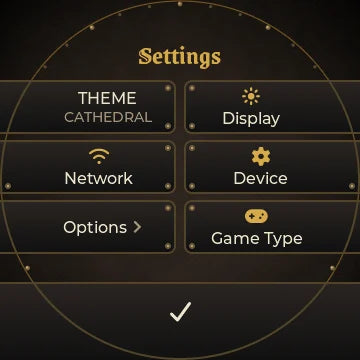
Settings. Theme on top. 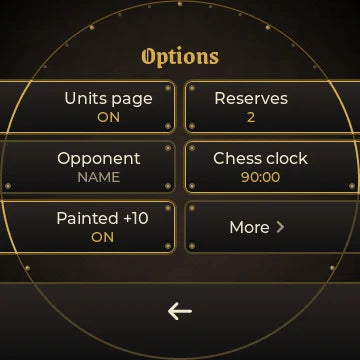
Options. On or off. -
One Dial, two players
Only one Soul Dial at the table? Put it between you and choose Both of us on the New game screen. Each side picks a player and an army, or plays as a Guest, and both armies' records count the battle.
- Your half. The first side has the near half and the other the far one, upside down so it reads the right way from across the table. Each half has that player's CP (tap to spend 1, even in the other player's turn) and VP (tap, then turn the knob to score Primary; tap again for Secondary).
- Your clock. Each player's chess clock sits on the rim nearest them and lights up during their turn. Tap your clock to end your turn. Both players gain 1 CP in every Command phase.
- The middle strip turns to face whoever is playing: pause the clocks, the round and step (tap for the next step, hold to go back), and Menu, or Undo just after a change.
Each army's Painted +10 counts for its own side. The dice roller, Units page, Strategic Reserves, quick rolls and Tactical discards are in Just me games.
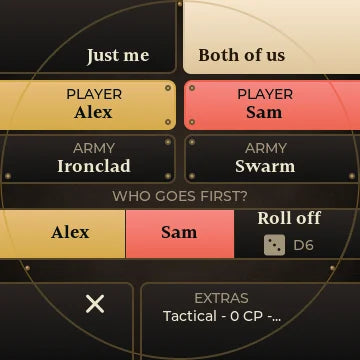
Both of us. A player and army each. 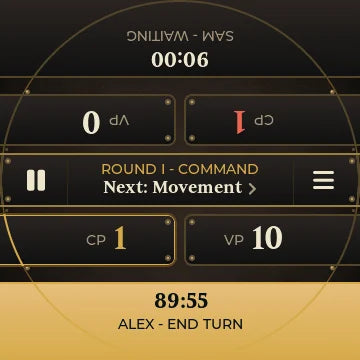
Alex's turn. Sam's half faces Sam. -
Two Dials, one battle
When both players have a Soul Dial, link them. Both tap JOIN on the Start screen, and each Dial lists the Dials nearby by name and army. Tap the other one on either Dial, then pick who goes first, and the battle starts on both. No codes, no host.
- What follows the other Dial: whose turn it is and the step, the round, who goes first, New game, End game and game over, plus your opponent's VP total, CP and name. End your turn and their Dial starts their Command phase, with its CP.
- What doesn't: each Dial runs its own chess clock, and you see your opponent's VP total, not their score round by round.
- Undo only takes back your own changes.
- The link lasts while you play that opponent, rematches included, and survives a Dial restarting mid-game. End game or Done unlinks both.
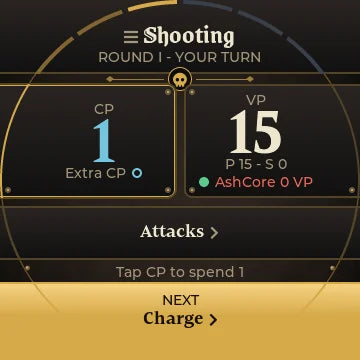
Your Dial. Shooting, your turn. 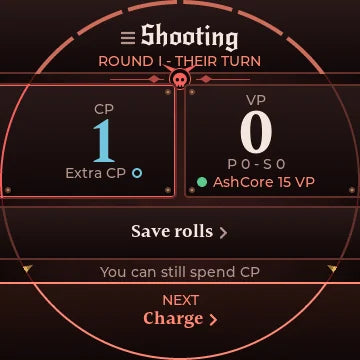
Their Dial. Following along, saves ready. -
Game over, and back to cards
After round V the Dial calls it: Victory, Defeat or Draw, both scores, your primary, secondary and painted VP, and each round's total. Tap a round to fix the Score sheet. Rematch goes straight to New game with the same setup; Done goes back to Start.
Your game in progress survives a restart or a flat battery.
To play a card game again, go to Settings → Game Type and pick it. That ends the game in progress. Your players, armies, records and options stay for next time.
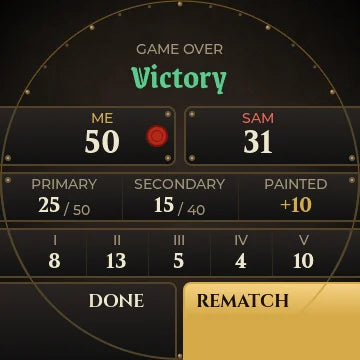
Victory. 50 to 31. 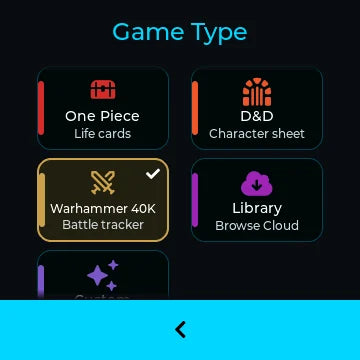
Game Type. Pick your next game.
Make it yours
Seven themes for your Dial
Six themes with four colours each, plus Plain. Open Settings → Theme, or Theme on the Army screen: turn the knob to preview each one live, tap a colour, and tick to keep it. Each army keeps its own, and every theme has the same buttons in the same places.
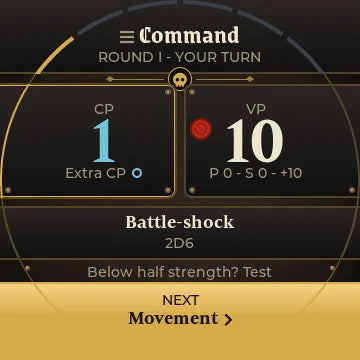
Cathedral. Gilded, Bronze, Verdigris, Silver. 
Scrapyard. Hazard, Red paint, Cobalt, Toxic. 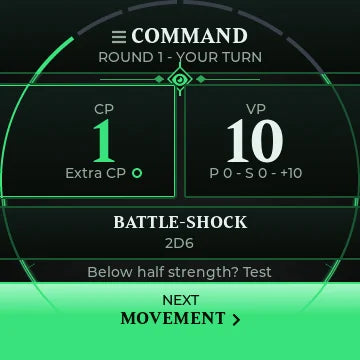
Tomb. Emerald, Teal, Ember, Violet. 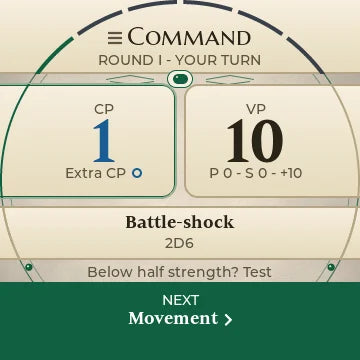
Wraithbone. Jade, Sapphire, Ruby, Amethyst. 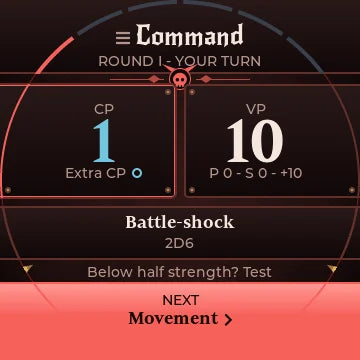
Ruin. Crimson, Brass, Plague, Warp. 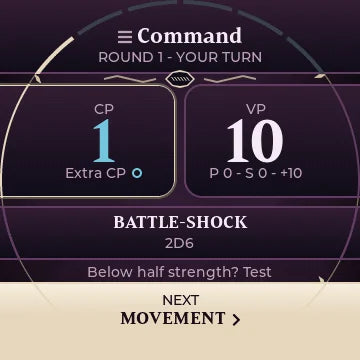
Hive. Bone, Violet, Flesh, Toxic. 
Plain. Gunmetal and brass.
At a glance
What it does, and what stays with your army list
The Soul Dial tracks the numbers that change during a battle. Your army list, rules and cards keep everything else.
| On the Dial | ||
|---|---|---|
| Battle rounds and steps | ✓Yes | 5 rounds, six steps a turn, either player first |
| Your CP | ✓Yes | +1 in both Command phases, and the 1-a-round extra CP cap |
| Your VP | ✓Yes | Primary and secondary by round, capped at 50 and 40, plus 10 for a painted army |
| Tactical discards | ✓Yes | +1 CP, counted as the round's extra CP |
| Quick rolls | ✓Yes | Advance, Charge and Battle-shock |
| Dice pools | ✓Yes | Up to 60 dice through Hit, Wound and Save, with re-rolls |
| Command Re-roll | ✓Yes | 1 CP, once per phase, once per roll |
| Key units | ✓Yes | Up to 6 per army: wounds with a damaged profile, or ability uses |
| Strategic Reserves | ✓Yes | Counted in, with a warning at the end of round 3 |
| Chess clock | ✓Yes | Each side's time, 5 to 240 minutes |
| Saved armies and players | ✓Yes | Up to 8 of each, every army with its own theme, units and Painted +10 |
| Battle records | ✓Yes | Each army's wins, losses, draws, win rate, average and best VP |
| Opponent's name and VP | ✓Yes | Entered by hand, or from their own Dial |
| Two players, one Dial | ✓Yes | Both of us: both players' CP, VP and clocks, half each |
| Two Dials linked | ✓Yes | JOIN on both: turn, step, CP and VP follow between the Dials |
| Undo and battle log | ✓Yes | Undo any change; the last 40 events |
| Keep with your army list | ||
| Army list and points | ✗No | The Dial doesn't build or check lists |
| Unit stats and weapons | ✗No | You choose the dice and the target number |
| Stratagems and abilities | ✗No | Spend the CP on the Dial; the rules text stays with you |
| Mission and secondary cards | ✗No | Score them on the Dial; the cards stay on the table |
| One chess clock across two Dials | ✗No | Linked Dials each run their own clock |
| Every unit in your army | ✗No | Up to 6 key units, named by you or from general names like Battle tank or Squad |
| Online stats and leaderboards | ✗No | Army records stay on the Dial |
The Soul Dial
Pick your color
Five colors, plus the Gold Ring special edition. 40K mode is on every Dial.
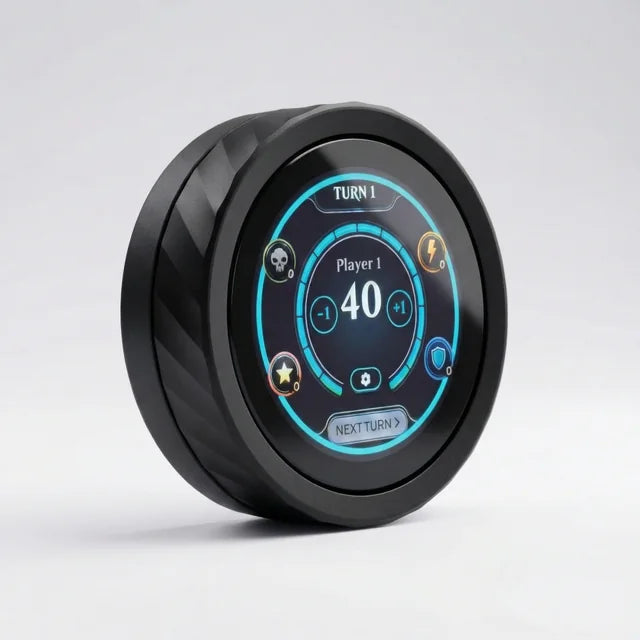 BlackChoose Black
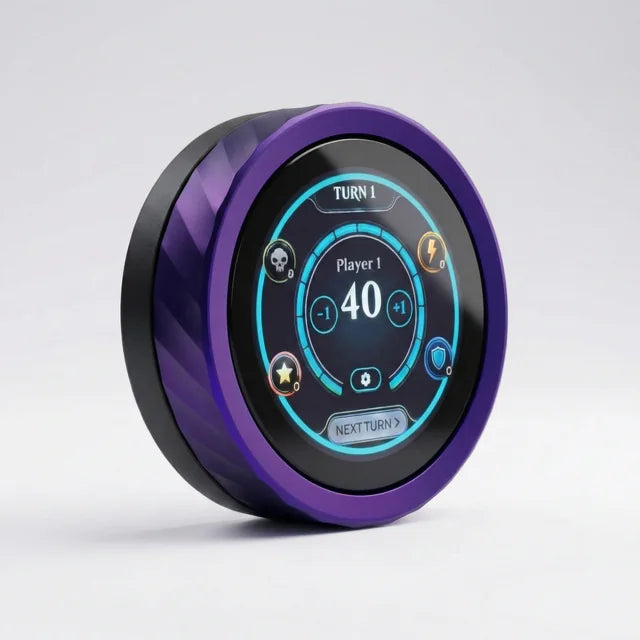 PurpleChoose Purple
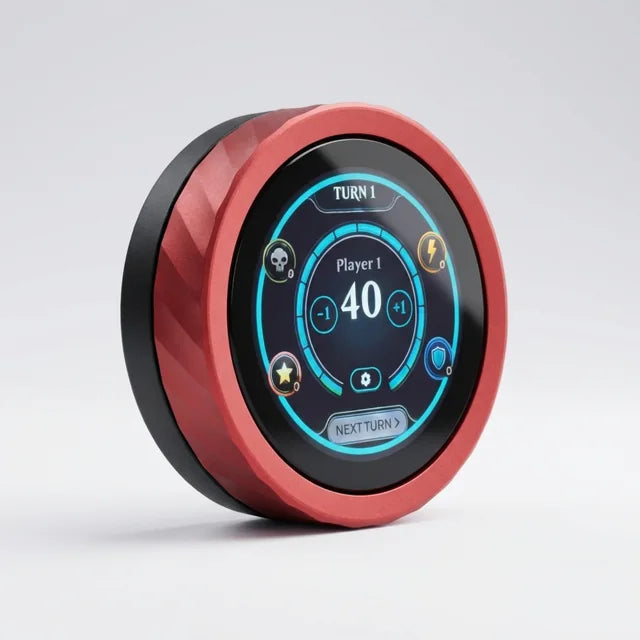 RedChoose Red
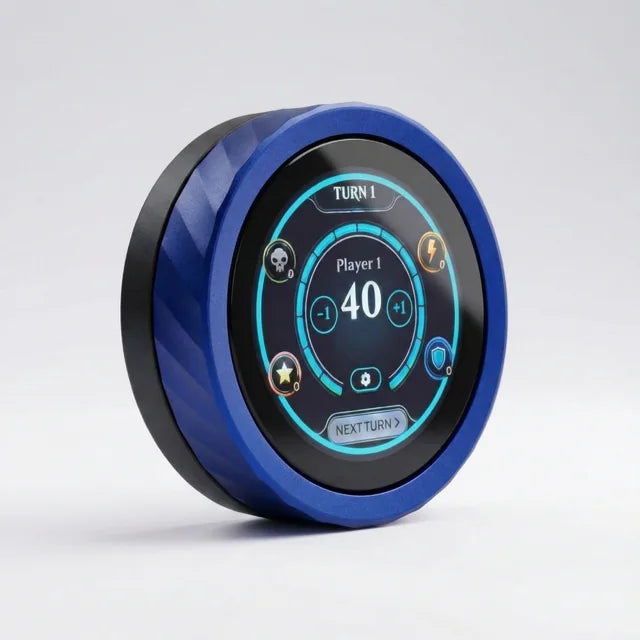 BlueChoose Blue
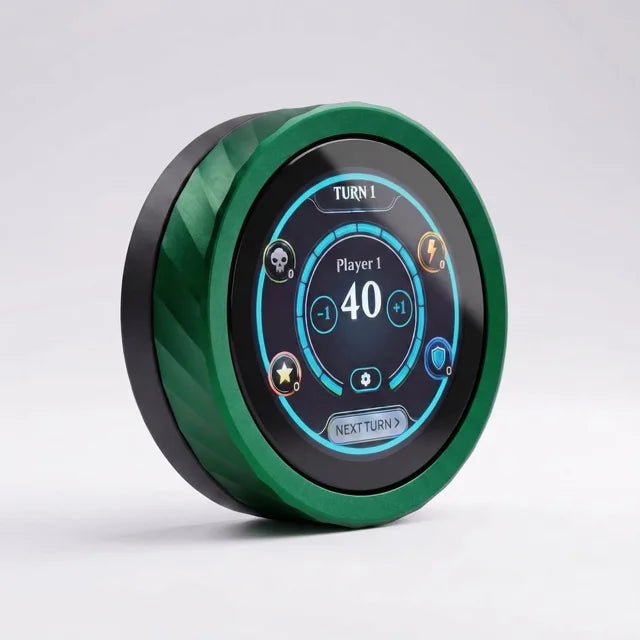 GreenChoose Green
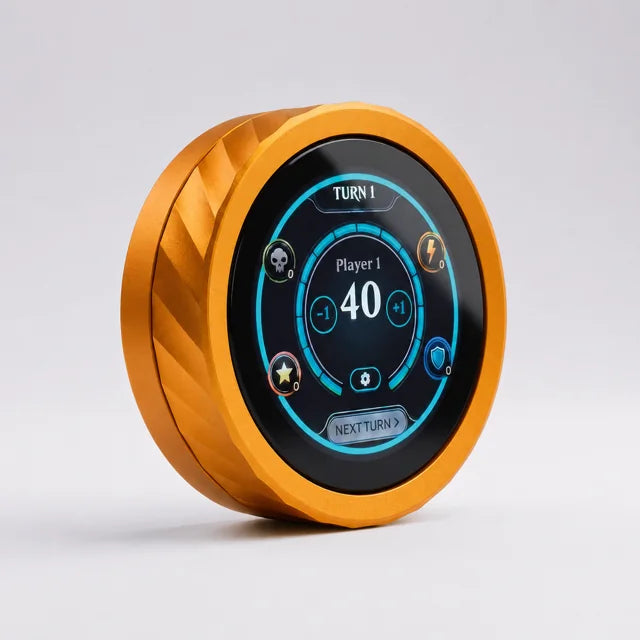 Gold RingSpecial edition
One for every player. Order 4 or more Soul Dials and get 10% off, for your club or your regular opponents. Choose each color on the product page.
Shop for the groupBetween battles, the same Dial is a life counter for Magic: The Gathering, Lorcana, Yu-Gi-Oh!, Flesh and Blood, Star Wars: Unlimited and more, and a D&D companion.
Ready for round one
40K mode comes with the latest Soul Dial firmware. Tap the game pill on the home screen, choose Warhammer 40K, and start your first game.
The Soul Dial is an independent product. It is not made, endorsed or sponsored by Games Workshop. Warhammer 40,000 is a trademark of Games Workshop Limited, named here only to say which game 40K mode is for.