
Soul Dial D&D Companion
Soul Dial · D&D companion
12 things your Soul Dial does at the D&D table
Switch your Soul Dial to D&D and it keeps the numbers that change mid-session: hit points, spell slots, class resources, hit dice, death saves and your favorite rolls.
Keep your character sheet for skills, spells and gear. The Dial handles the math you'd otherwise erase a hole through. Everything is set up on the Dial itself, with no app and no account.
- 12characters
- 24resources each
- 8saved rolls
- 3classes to multiclass
- 3rule sets
Playing with your group? Order 4 or more and save 10%.
-
Your HP lives on the dial
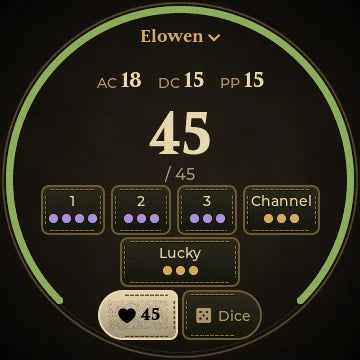
Turn left for damage and right for healing. The change waits under the big number for 1.5 seconds after you stop, so a −9 that should have been −12 is just three more clicks.
The green ring around the screen shrinks as you get hurt, so the whole table can read your health at a glance. After a heal, one tap turns it into temp HP instead, for spells like False Life.
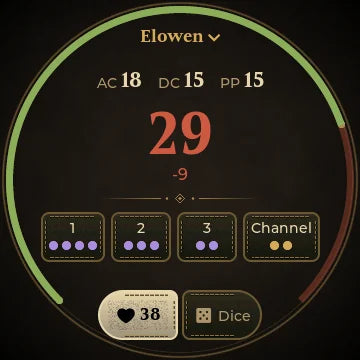
Turning. −9 waits to apply. 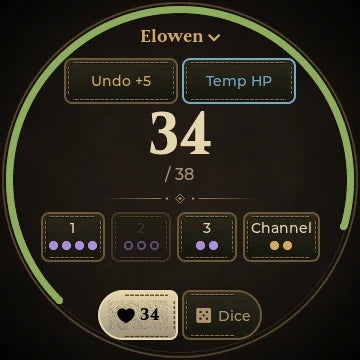
Healed. Undo, or make it temp HP. -
Spell slots you tap, not erase
Every spell slot level and class resource is a tile with dots for what's left. Tap a tile to spend one. Hold it to get one back.
Resources that are numbers rather than uses, like Lay on Hands, take the dial: tap the tile, then turn.
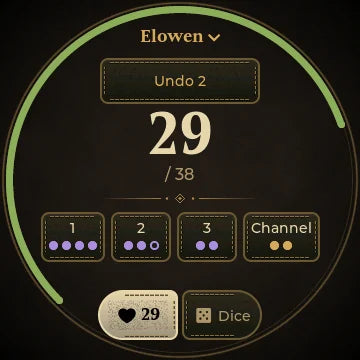
Tap. A 2nd-level slot spent. 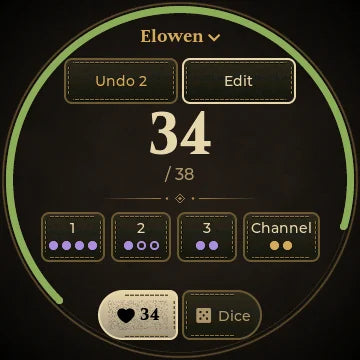
Hold. And it's back. -
Your class fills in the details
Pick a class and level and the Dial sets your hit die, spell slots and class resources: Rage, Channel Divinity, Ki, Sorcery Points, Warlock pact slots and more. They grow when you level up.
Making a character takes a minute. The Dial asks one question per screen (name, class, level, CON, max HP, AC, spell DC) and shows a summary before you start. Every core class is there, plus Eldritch Knight, Arcane Trickster and a Custom class for homebrew.
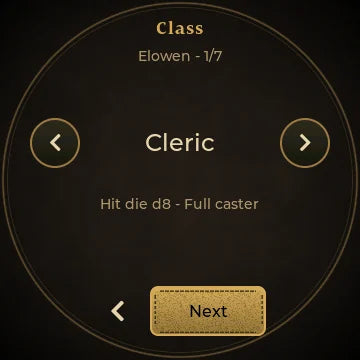
Class. Turn the dial to choose. 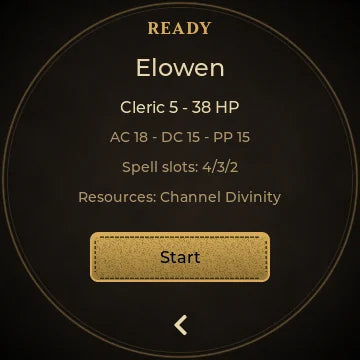
Ready. Check it, then Start. -
Dice that actually tumble
Swipe to the Dice page and the whole set sits around the rim: d4 through d20 and d%. Tap a die and it rolls into the tray in 3D.
- Taps within 1.5 seconds join one roll, so 3d6 + 1d8 is four quick taps.
- ADV and DIS roll two d20s and fade the one you drop.
- Natural 20s and 1s are called out, and a fireball's worth of dice turns into a sorted table.
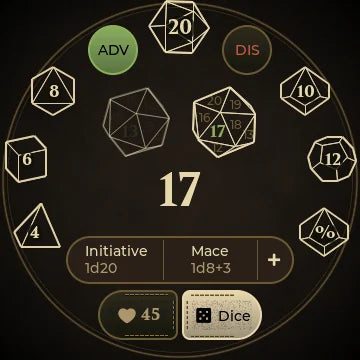
Advantage. 17 kept. 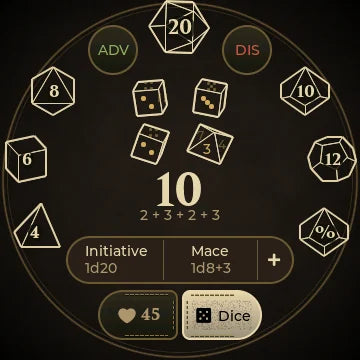
3d6 + 1d8 in one roll. -
Your go-to rolls, one tap away
Save the rolls you make every turn: Initiative, your weapon, your favorite cantrip. Each one can mix up to three kinds of dice plus a bonus, like 1d8 + 2d6 + 3.
They sit in a bar above the page switch. Tap one to roll it and hold it to edit. Each character keeps up to 8.
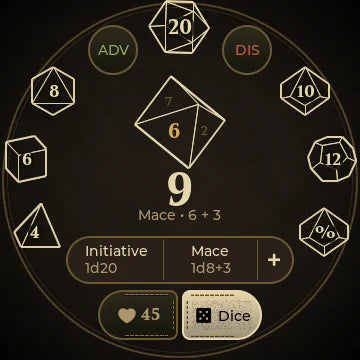
Mace. 6 + 3 = 9. 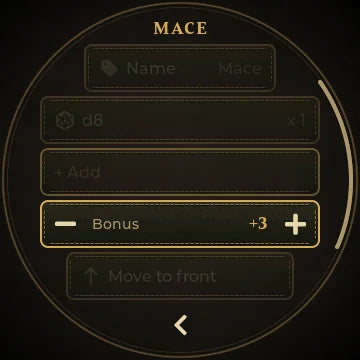
Edit. Dice, count and bonus. -
Death saves, with all the drama
Drop to 0 HP and the Character page becomes Death Saves. Tap the d20 to roll: 10 or higher is a success, a natural 1 is two failures, and a natural 20 brings you back at 1 HP.
Took a hit while down? Hit adds a failure, Crit adds two. Any healing on the dial brings you back. The Dial never declares you dead on its own. That's your DM's call.
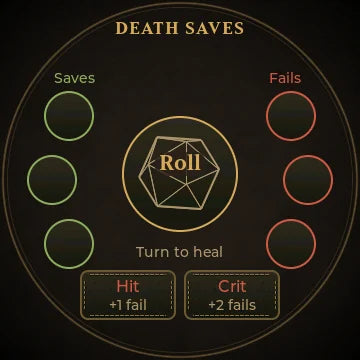
Down. Tap the d20. 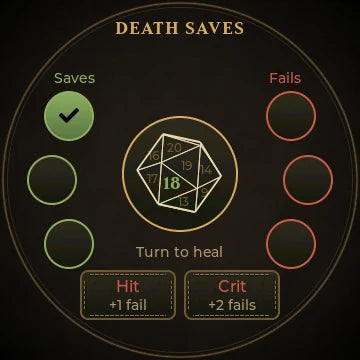
18. A success. -
Bring it to your next session
Stop erasing. Start turning.
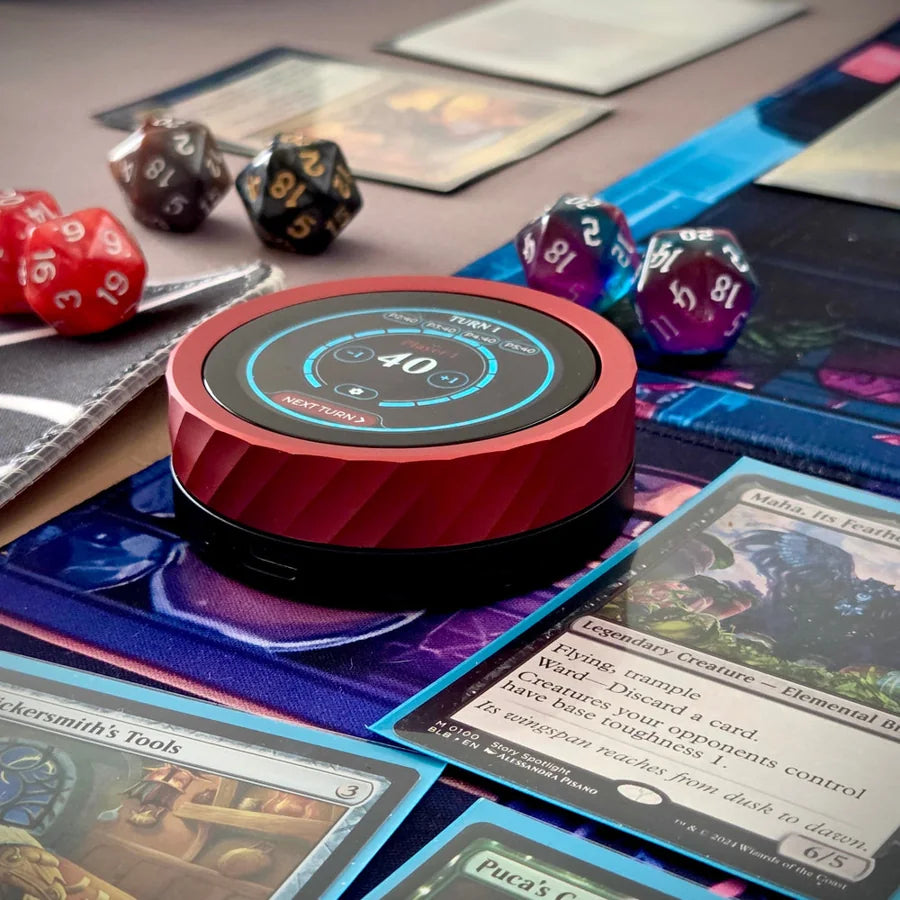
A machined aluminum Dial that sits by your sheet, with a click you can feel and a screen the whole table can read.
Shop the Soul Dial -
Rests that do the bookkeeping
On a short rest, tap Roll to spend a hit die. The Dial rolls it, adds your CON and shows the math: d8: 5 +2 CON → +4 HP. Short-rest features like Ki and pact slots come back when you finish.
A long rest shows what you'll get back before you confirm, then refills everything. Hit dice follow your rules: all of them under 2024, half under 2014.
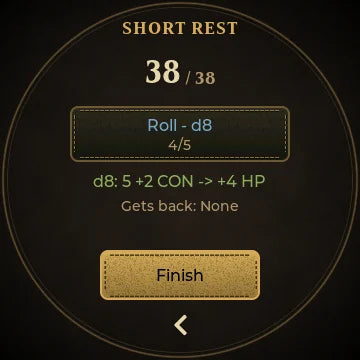
Short rest. Spend hit dice. 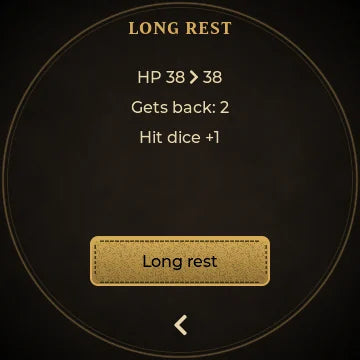
Long rest. See it before you sleep. -
Level up and multiclass on the spot
Level up suggests the average HP gain for your class plus CON, or set what you rolled. New slots and resource uses are ready immediately.
Multiclass into up to three classes and 20 total levels. Spell slots come from your combined caster levels, and Warlock pact slots stay separate, as the rules say.
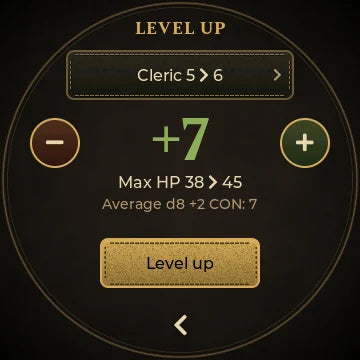
Cleric 5 › 6. +7 HP. 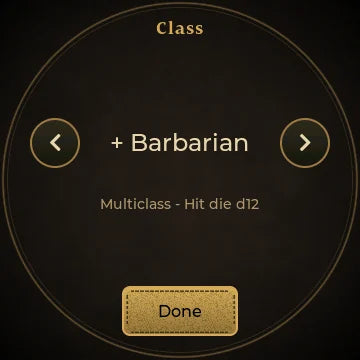
Multiclass. Add a new class. -
Track whatever else you count
Add your own resources for anything the class list doesn't cover: the Lucky feat, wand charges, a subclass feature, arrows in your quiver.
Choose Slots for a few uses with dots, or Count for a bigger number. Each one resets on a short rest, a long rest or never. A character can hold 24 resources, class ones included.
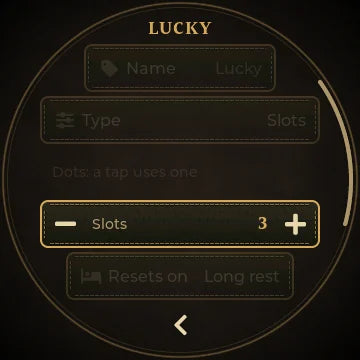
Lucky. 3 slots, long rest. On the page with your slots. -
One dial for every campaign
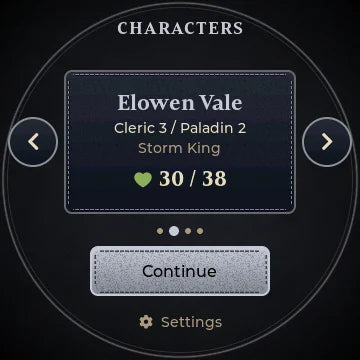
Keep up to 12 characters, one for each campaign you're in. Home shows them one at a time with class, campaign and HP. Turn the dial and tap to play.
Each character gets its own look, with 8 leathers and 9 trims, so you know at a glance whose turn it is. Everything is saved on the Dial and survives restarts and updates.
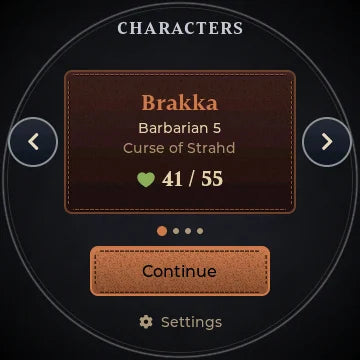
Brakka. Barbarian 5. 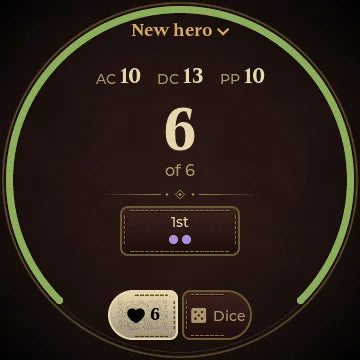
Navy and silver. A new hero. -
Undo anything, and keep a log
Wrong target? Every change shows an Undo pill for a few seconds. Swipe down from the top for the Log: damage, healing, rolls, rests, resources and death saves, newest first. You can undo the latest action from there too, long after the pill is gone.
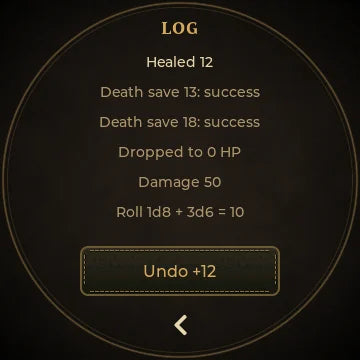
The Log. The session, newest first. -
New
Three editions: 2024, 2014 and now 3.5
Each character follows its own rules, so your 5e campaign and your long-running 3.5 game can sit on the same Dial.
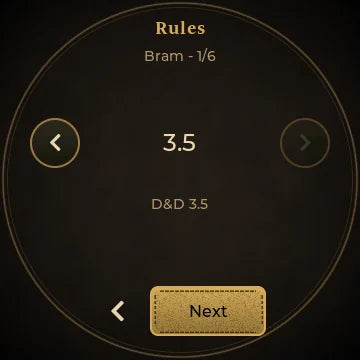
Rules. The first question. 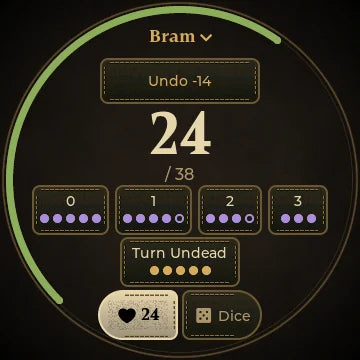
A 3.5 Cleric 5. Slots 0 to 3rd. Spells per day, by the book
Slots come straight from the 3.5 tables, 0th through 9th level, plus bonus spells from your casting ability and the Cleric's domain slot. Enter WIS +3 and a Cleric 5 gets 5 / 5 / 4 / 3.
Multiclass casters keep each class's slots separate, the way 3.5 does it.
3.5 classes and hit dice
Hit die Classes d4 Sorcerer, Wizard d6 Bard, Rogue, Warlock d8 Cleric, Druid, Monk, Ranger d10 Fighter, Paladin d12 Barbarian Plus a Custom class for prestige classes and homebrew.
Class features per day
Rage, Bardic Music, Turn Undead (3 + CHA), Wild Shape from 5th level, Stunning Fist, Wholeness of Body, Smite Evil and Lay on Hands (level × CHA) are tiles that refill when you rest.
Negative HP and a real Dying page
At exactly 0 you're disabled. Below 0 the screen turns to . Tap the d% once a round: 1–10 and you stabilise, anything else costs 1 HP. At −10 you're dead.
Tap Stable when an ally makes the Heal check. Any healing on the dial stabilises you too.
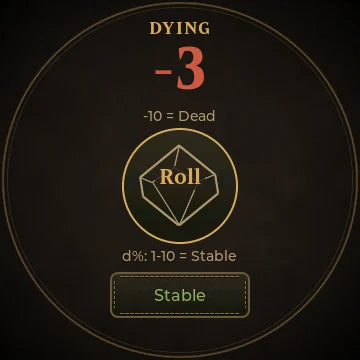
−3. Roll the d%. 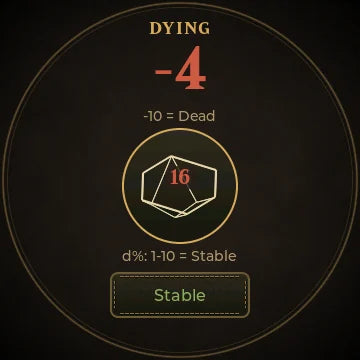
16. Down to −4. Resting the 3.5 way
One Rest page with two choices: 8 h for a night's sleep (1 HP per level) or 24 h of bed rest (twice that). Each button shows the HP and the spell levels you'll get back. Per-day abilities refill.
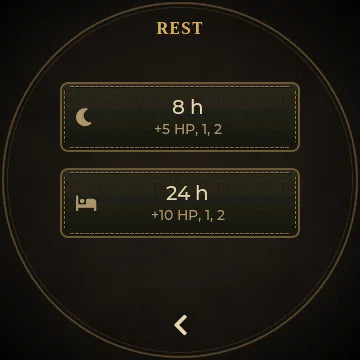
8 h or 24 h. Level 5: +5 or +10 HP. Massive damage, flagged
Take 50 or more from a single hit and the Dial warns you. The DC 15 Fortitude save is yours to roll.
Only what 3.5 uses
3.5 characters skip the 5e-only parts: no hit dice to spend, no short rest, no advantage buttons and no passive Perception.
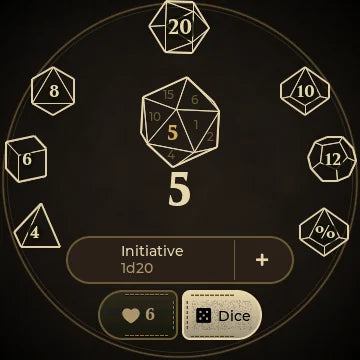
3.5 dice. Just roll.
The Soul Dial
Pick your color
Five colors, plus the Gold Ring special edition. D&D mode, with 3.5, is on every Dial.
 BlackChoose Black
 PurpleChoose Purple
 RedChoose Red
 BlueChoose Blue
 GreenChoose Green
 Gold RingSpecial edition
Gear up the whole party. Order 4 or more Soul Dials and get 10% off, so every player tracks their own character. Choose each color on the product page.
Shop for the partyBetween sessions, the same Dial is a life counter for Magic: The Gathering, Lorcana, Yu-Gi-Oh!, Flesh and Blood, Star Wars: Unlimited and more.
The Soul Dial's D&D mode is a companion for players, not a character sheet. It doesn't track ability scores, skills, spells known, feats or inventory. Keep those on paper or in your app of choice, and let the Dial handle the numbers that move.
Roll initiative
D&D mode comes with the latest Soul Dial firmware. Tap the game pill on the home screen, choose D&D, and make your first character.